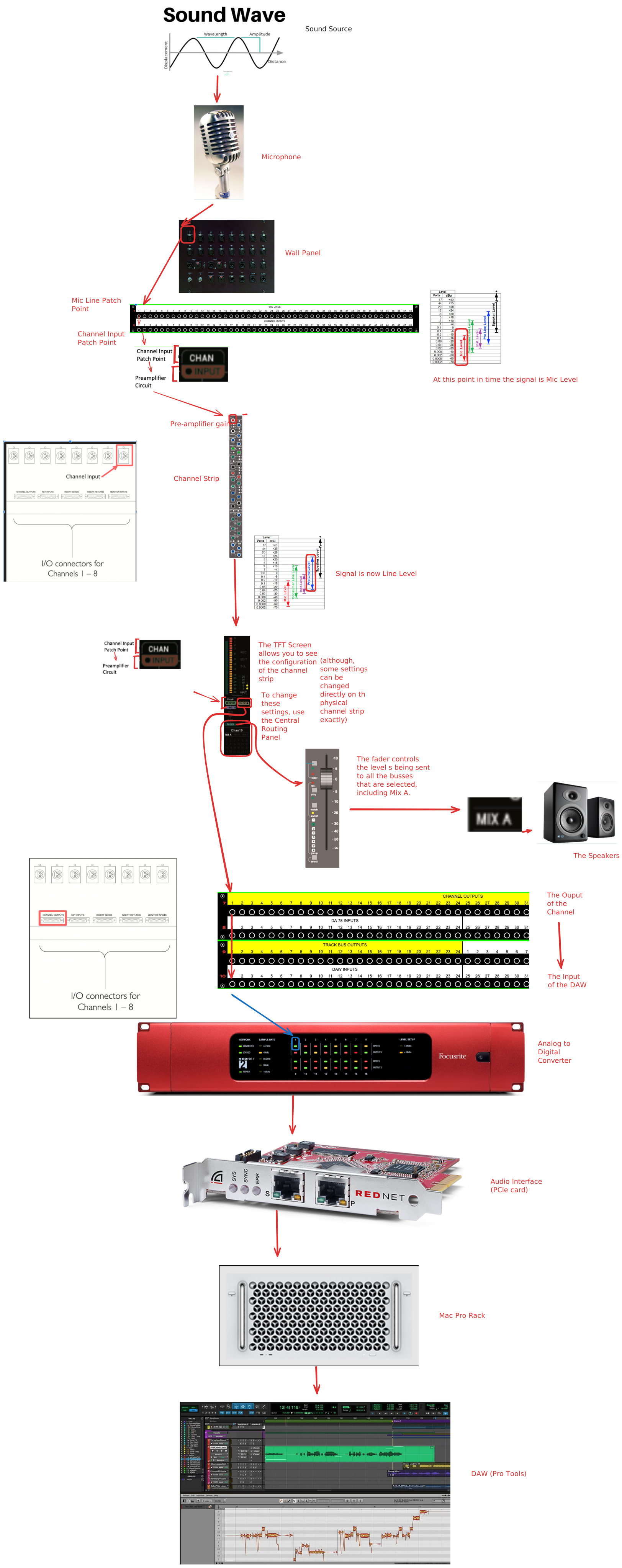
Four Steps of Recording
When a problem is difficult, it helps to break it down into smaller steps. If it ever gets overhwhelming, think back to the broader objective, what I present here as 4 major steps. You'll then be able to have a good framework to make sense of the finer details.
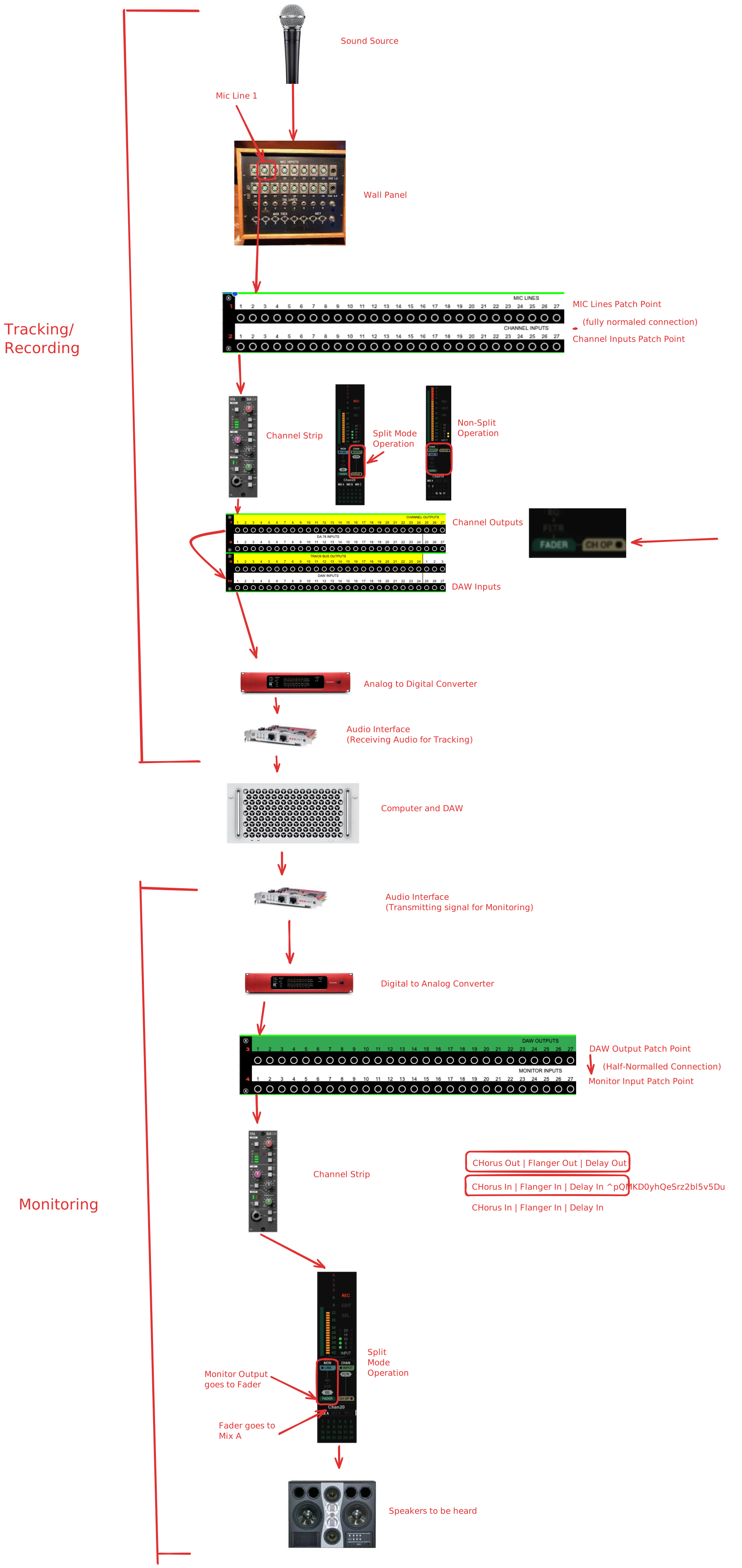
With signal flow, start with the source. As such first we are going to connect a microphone or other piece of gear. Specifically, we want to connect this gear in a way that it connects to the main console patchbay.
Step 1: Route Audio to Main Console Patchbay
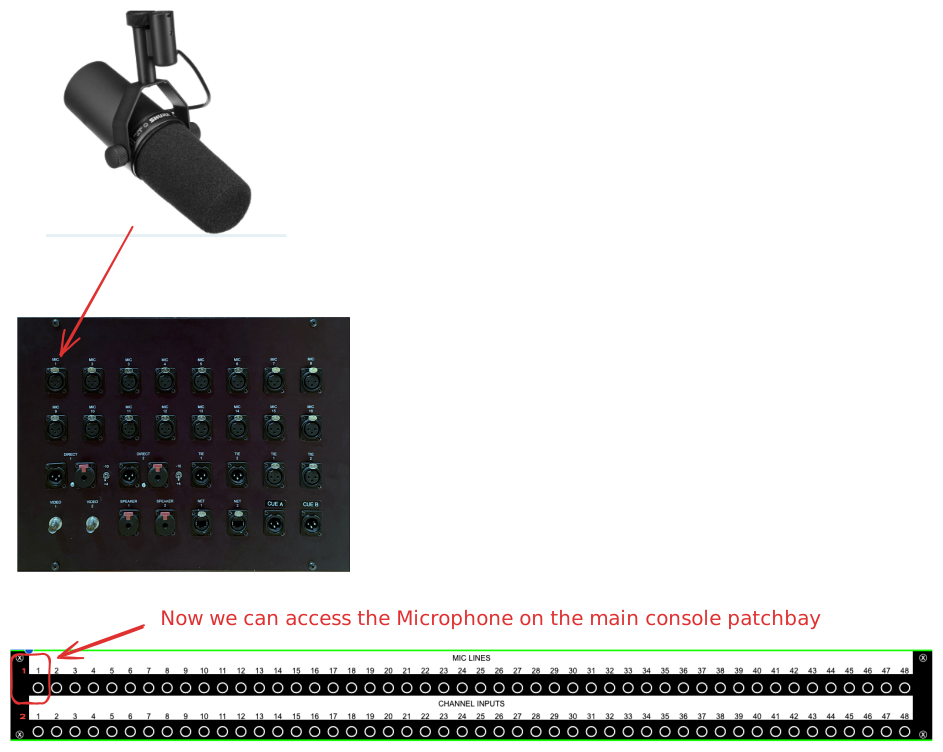
Step 2: Route Audio to Preamp and, optionally, Channel Strip
See below for routing involved in tracking. When tracking, make sure you are engaging the correct circuit and metering the correct circuit.
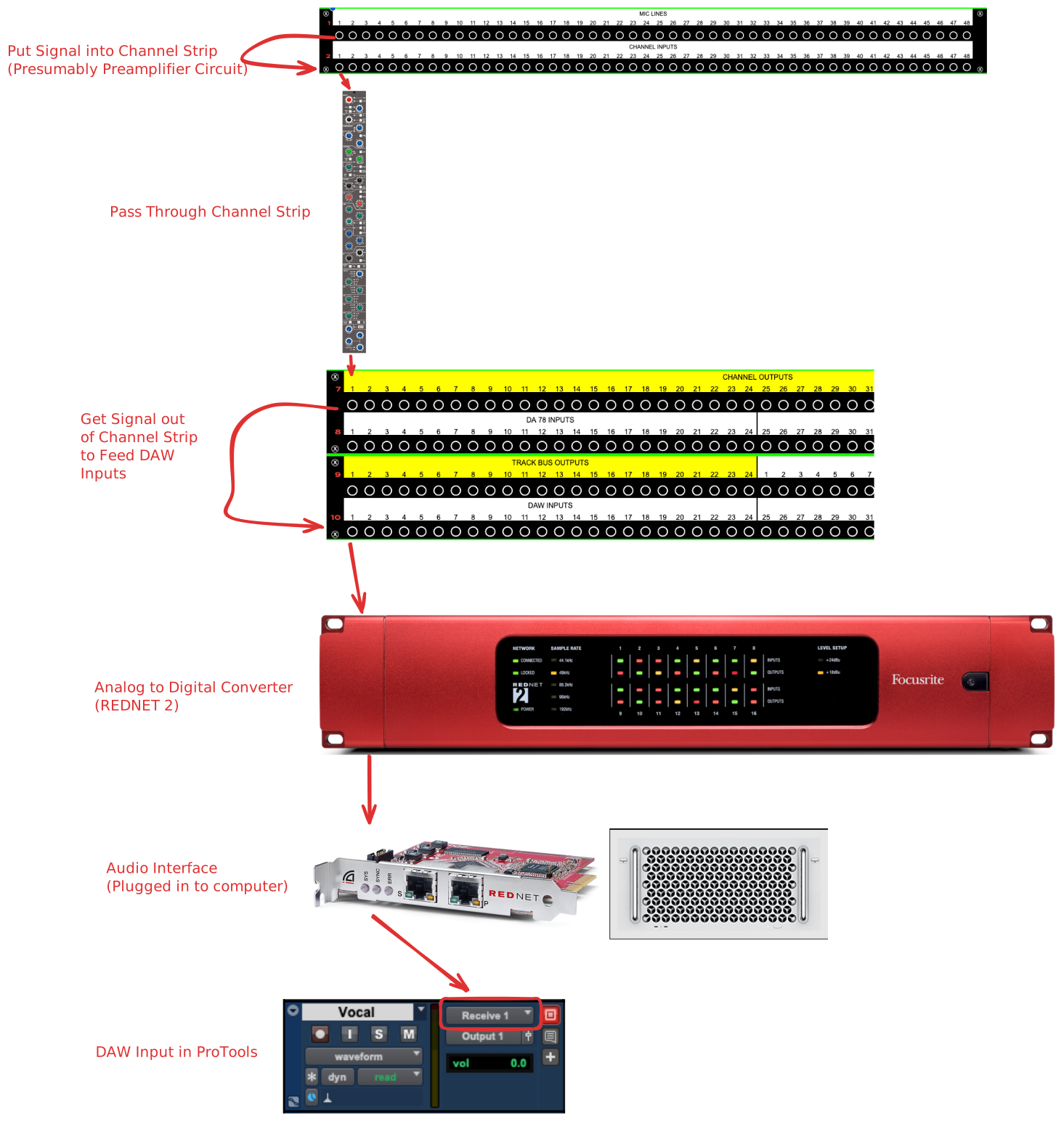
Step 3: Route Into DAW
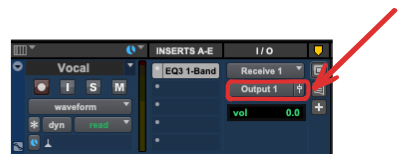
When routing signal into and out of a track in ProTools, be sure to choose the correct input and output. If the channel only has one circuit, you can't use the same channel as an input and an output.
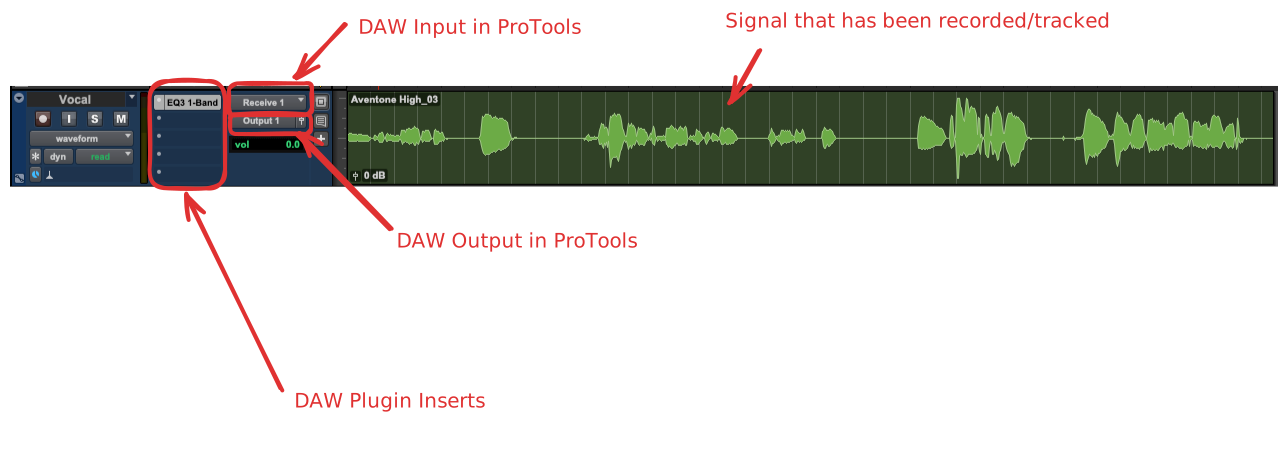
Step 4: Monitor Audio through Channel Strip
When monitoring, make sure you are engaging the correct circuit and metering the correct circuit.
Understanding How this Correlates to the Session Setup Sheet
Over the next several pages, we are going over how the information above correlates with the session setup sheet.
The Complete Picture
Ignore This for Now