Foldback and Talkback Patching
The Foldback Signals
For musicians to hear us in the tracking room or through their headphones, they require the Talkback signal.
This signal is automatically routed to Foldback A and Foldback B. Consider "fold" as a way to reroute or repackage a signal (similar to converting 5.1 audio to stereo), while "back," refers to anything transmitted to the musicians.
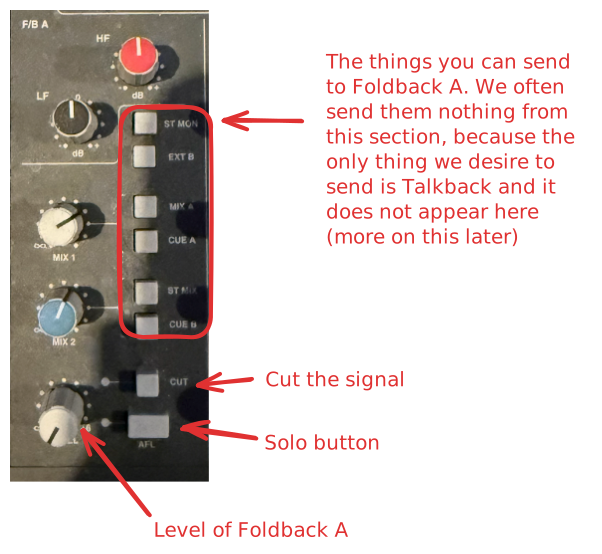
Foldback A
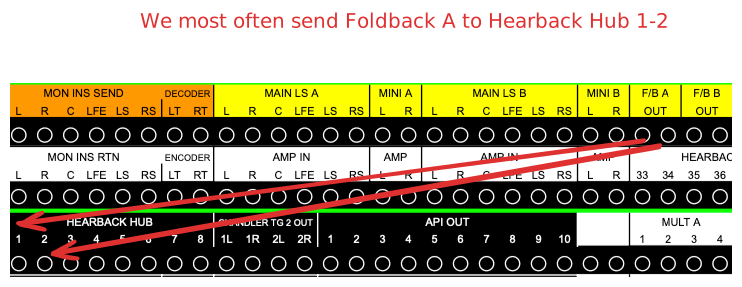
Foldback A is used for everything concerning headphone mixes. It's not automatically linked to the headphones. To get a signal, you must manually patch it into the hearback system.
Foldback B
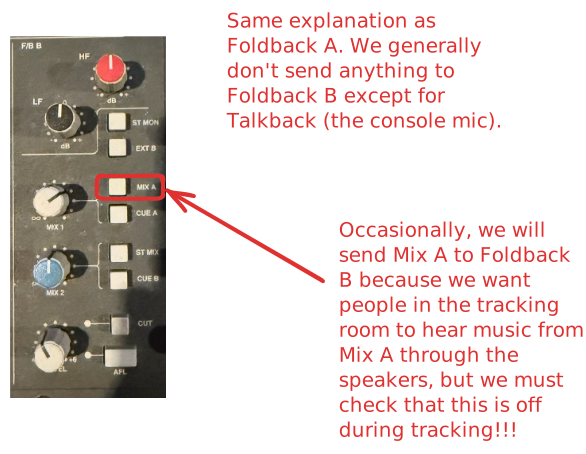
Foldback B acts as our go-to source for everything concerning speaker mixes in the tracking room for musicians. Conveniently, it's already linked to the speakers, so manual patching isn't required.
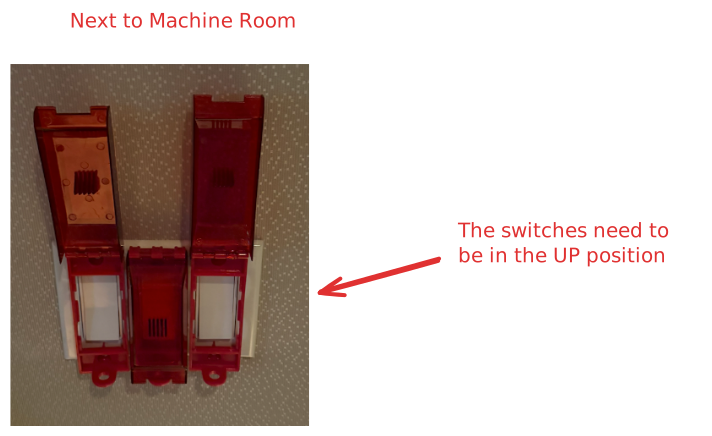
Simply switch on the JBL speakers in the tracking room! However, if the speakers aren't powering up, it might indicate that they aren't receiving power. Ensure the power switches for the speakers are turned on as depicted in the image below.
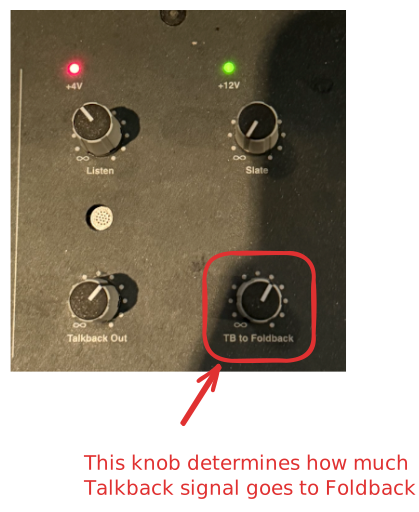
Talkback to Foldback
By default Talkback signal routes to the Foldbacks, and that's usually the only thing we want on the Foldback mixes anyway. To control the level of the amount of talkback going to the foldback, you can use the knob(s)