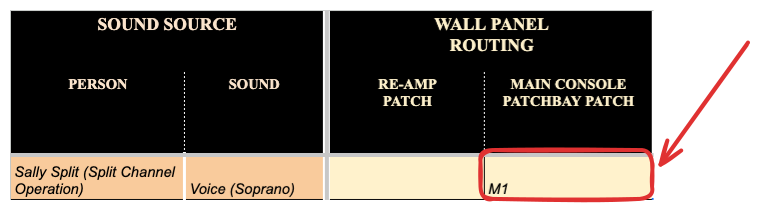
Setup Sheet - Wall Panel Routing
Wall Panel Connection
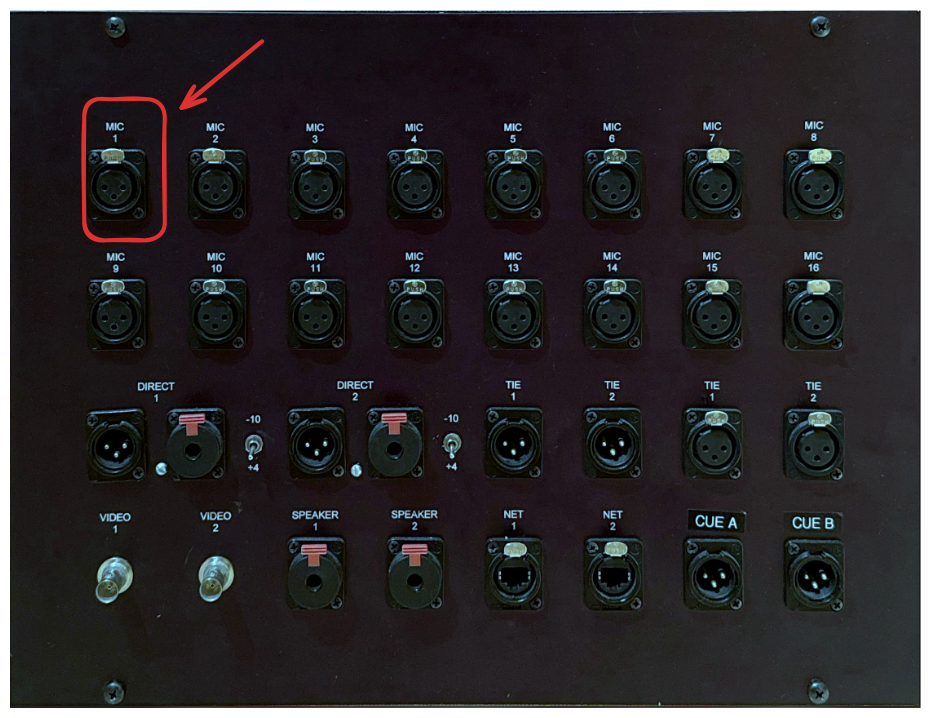
The boosted signal travels through an XLR cable from the microphone to a wall panel in the tracking room. This keeps cable runs organized and prevents clutter in the studio.
The signal traveling through the mic cable is then routed through a wall panel, allowing it to pass neatly throughout the studio without creating tripping hazards or requiring the door to be propped open for long cable runs.
MIC LINES Row of Console Patchbay
From the wall panel, the signal reaches the MIC LINES row on the console patchbay, which provides access to various routing options. In this setup, it connects to Mic Line 1 on the patchbay, allowing the signal to enter the SSL console for further processing.

The main function of the hilighted section below is to explain how signal travels to the main console patchbay for the purpose of being ready to be patched into a particular channel.