Re-amping
Updated 7/20/2026
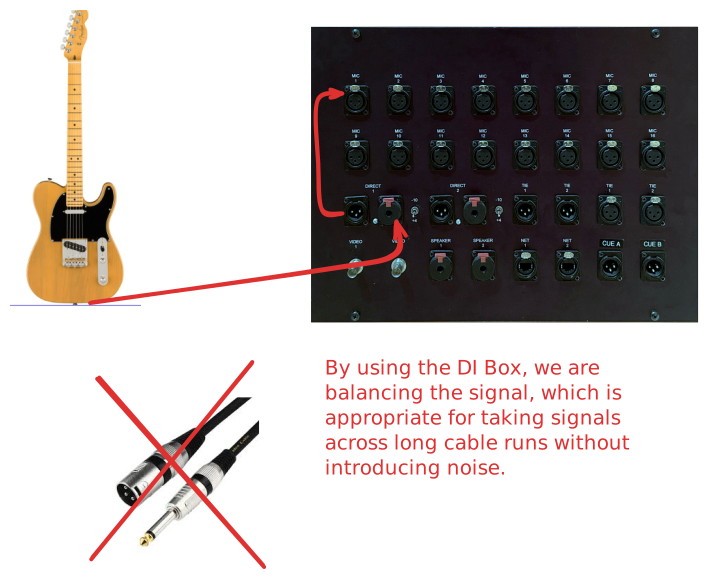
We want to capture the DI signal
So if we have a guitar or bass, we want to capture the raw signal as if it's not going through the amp. We just want to capture the signal of the instrument through a DI box.
But we also want the Amp Signal...
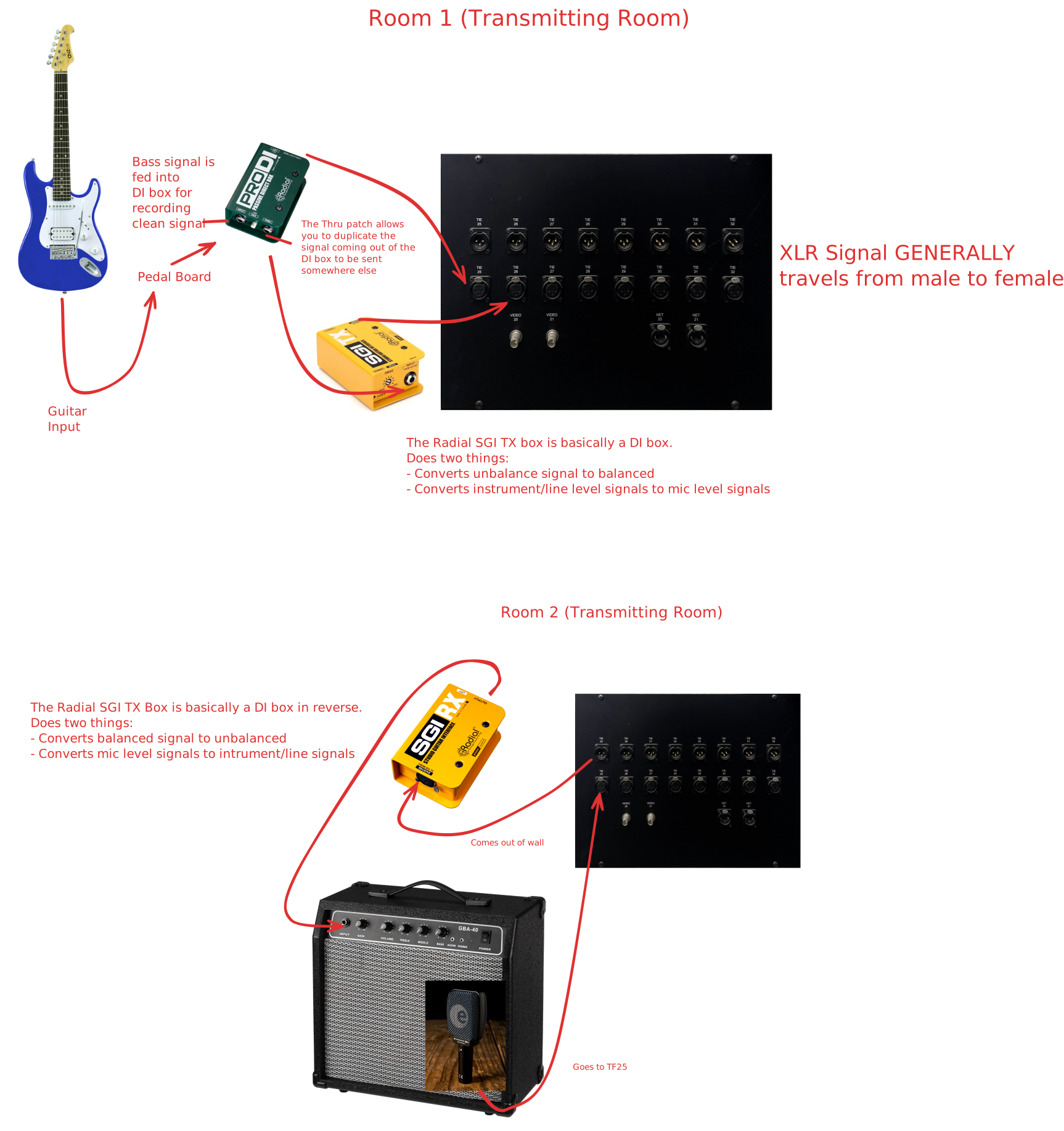
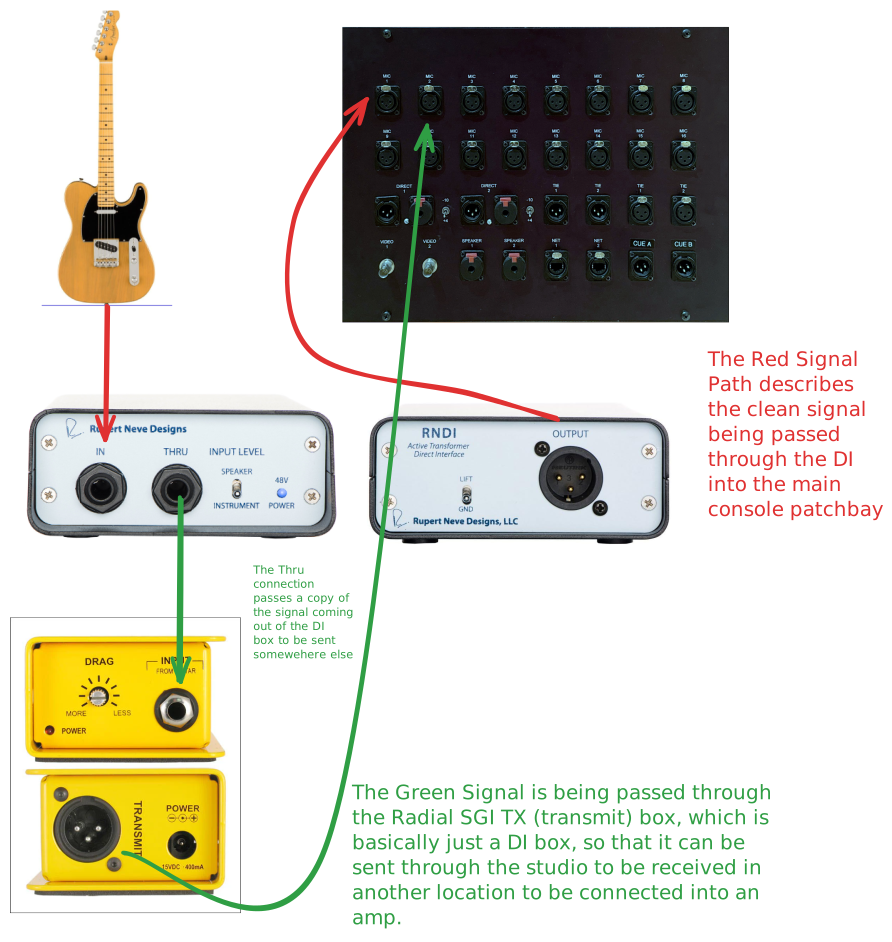
Making a Copy of the Signal
In the example above, there is no way for us to split the signal so that we can get a clean signal and a copy of the signal to be sent to the amplifier. SO, we need to use a DI box and its THRU connection.
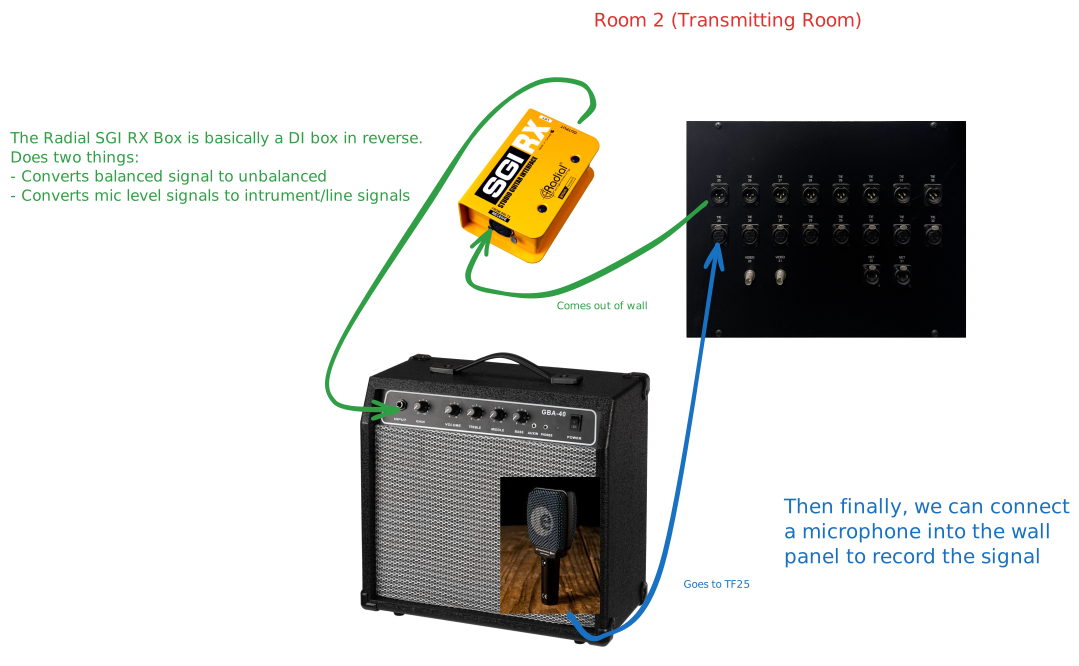
Receiving the Copy of the Signal and Recording It