Midi Velocity
Updated 7/20/2026
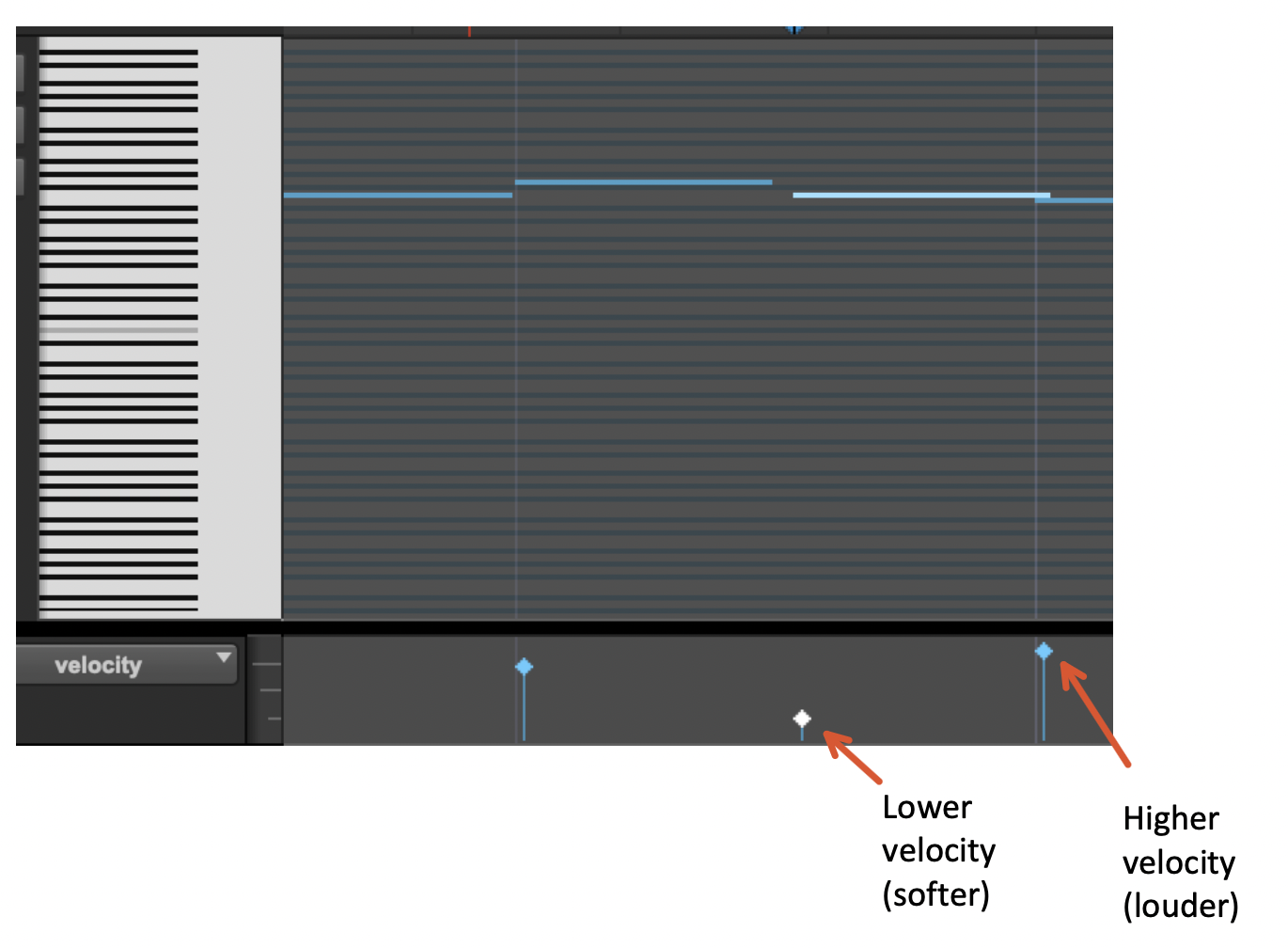
Clip gain only applies to audio clips, as MIDI clips do not have the concept of clip gain. The equivalent for MIDI clips is MIDI velocity. You can change the velocity of specific MIDI notes by opening the MIDI clip editor by double-clicking a MIDI clip. Lower values indicate lower velocities (softer notes), while higher values indicate higher velocities (louder notes). Velocity is related to loudness because, on an instrument, the faster you hit it (the higher the velocity), the louder the sound.