Going on The Grid
Updated 7/20/2026
-
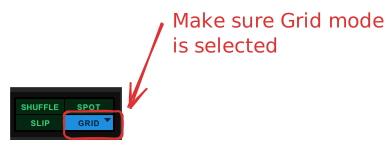
Change the EDIT mode to be GRID mode
- Use shortcut Option 4
Going on The Grid _4
-
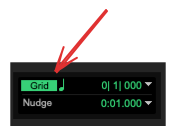
Make the grid visible
Going on The Grid
-
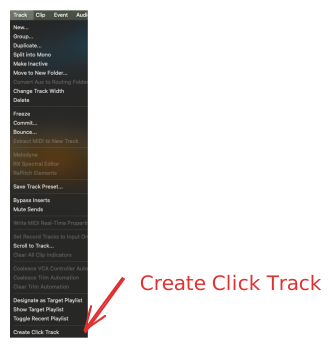
Hear the grid with the click track
Going on The Grid _1
-
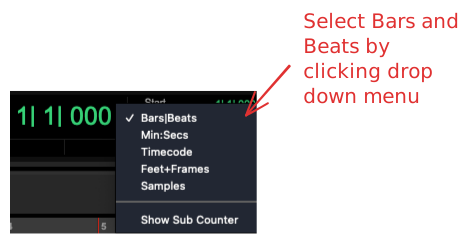
Configure the Transport to be in Beats vs Min/Seconds
Going on The Grid _2
-
When we use Soundbase, we want to make sure that we are warping the samples in accordance to the project tempo
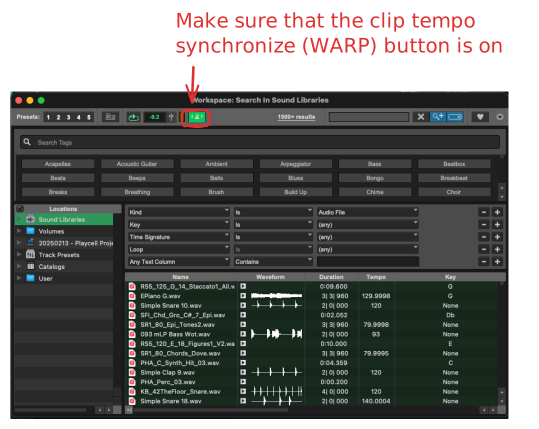
Going on The Grid _3
-
Change the Grid Resolution to match what we want to achieve
- Shift + and Shift - to change the grid Resolution
- OR, we can access the grid resolution settings here:
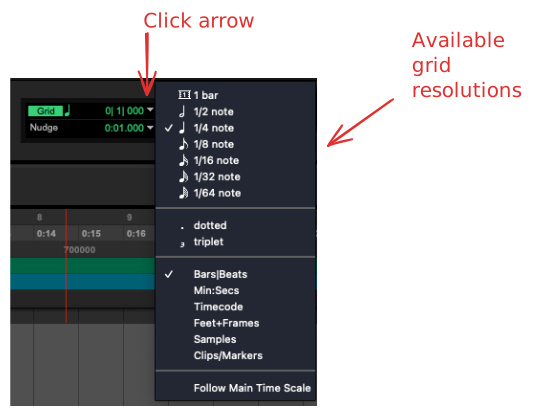
Going on The Grid _0
-
Quantize to your heart's content: THAT'S WHY WE HAVE THE GRID!