Creating your first ProTools Project
Updated 7/20/2026
Opening ProTools
Find the ProTools icon 
The Dashboard Screen
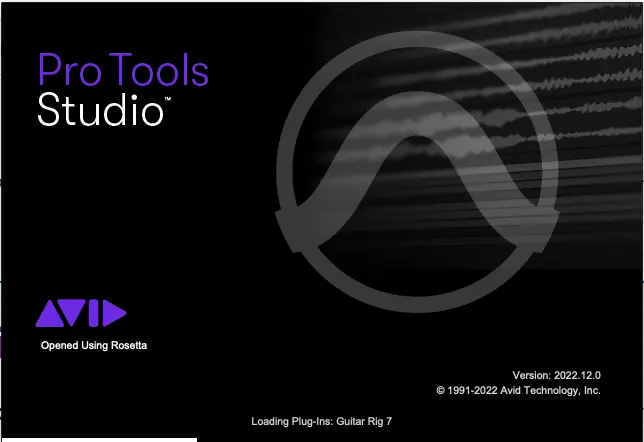
Once ProTools has successfully opened, you will be greeted with the Dashboard Screen. This is the ProTools welcome screen.
Naming and Creating Your Project
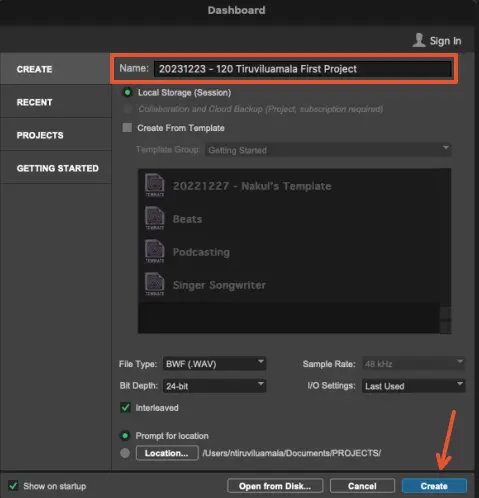
- Give the project a name in the format of YYYYMMDD - 120 YOUR NAME PROJECT TITLE
- Then click "Create"
Choosing a Location to Save your Project
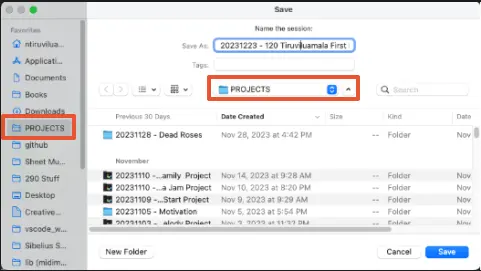
It's important to save your project folder to an easily locatable directory on your machine, or else it can get easily lost! In the screenshot below, you can see that I saved my ProTools project into a dedicated PROJECTS directory that I can easily find later.
Please watch this video to better understand the Pro Tools project structure.