Practicing with Cambridge Mixes
Updated 7/20/2026
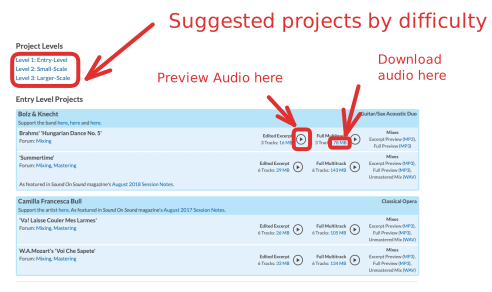
Navigate to the Cambridge multitracks library and find a project that it is reasonable for you to mix.
Import into ProTools
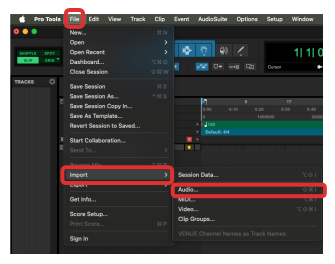
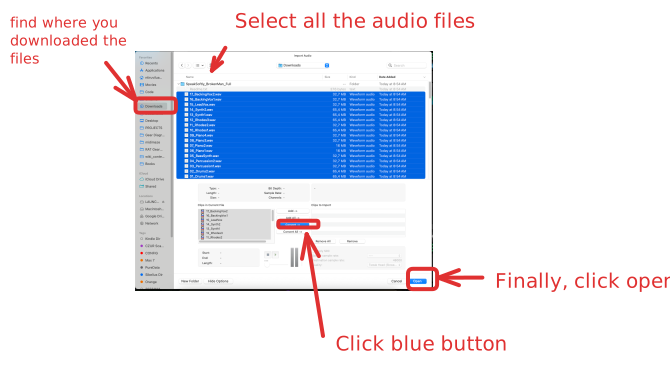
Use the ProTools project import dialog to import audio tracks:
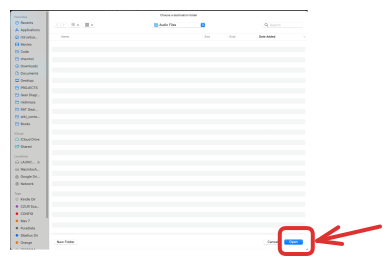
If prompted to choose a destination folder, click Open:
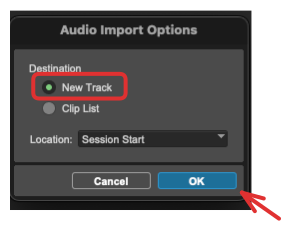
For audio import options, select "New Track"
Now that you've imported files into ProTools, follow the advice on the ProTools - Gain Staging Basics - Module Intro to correctly organize your tracks.