SSL Duality Channel Strip EQ
Number of Bands
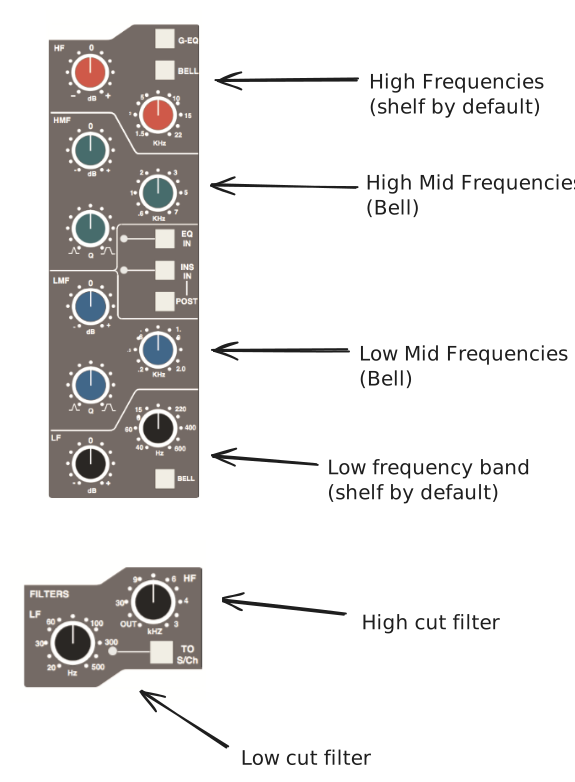
There are 4 bands on the EQ. Plus there are two filters that allow you to clow cut or high cut frequencies.
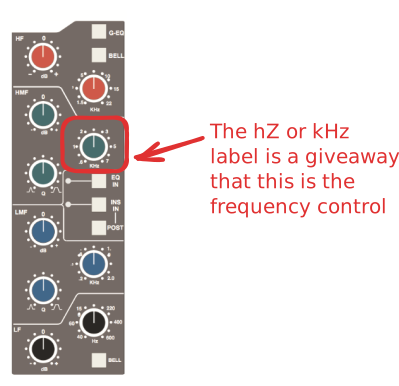
Frequency Control
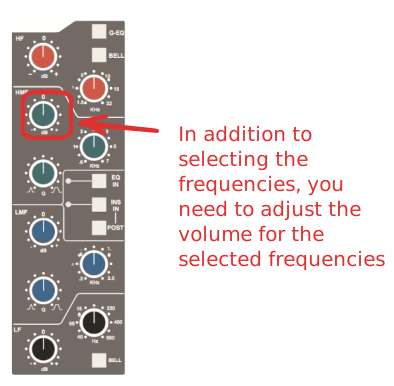
Gain Control
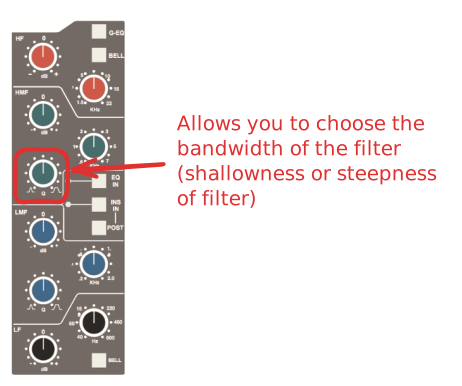
Q (Quality Factor)
This is a four band parametric equaliser based on SSL’s classic 'Black Knob' EQ, which was developed for the original SL 4000 E Series console. Selecting the G-EQ button introduces steeper shelving curves with a controlled amount of undershoot/overshoot at the turnover frequency, together with the classic gain/bandwidth interaction for the mid band sections that was a key characteristic of the original G-Series EQ.
The individual bands function as follows:
HF: high frequency shelving equaliser switchable to fixed Q parametric (BELL)
HMF: high frequency parametric mid band equaliser
LMF: low frequency parametric mid band equaliser
LF: low frequency shelving equaliser switchable to fixed Q parametric (BELL)
The EQ In button (located next to the insert buttons) routes the channel signal through the EQ and filter section. When in circuit, the EQ box on the channel TFT display is highlighted. See also Central routing Control.