Troubleshooting - ProTools does not appear to open
Updated 7/20/2026
Troubleshooting: ProTools does not appear to open
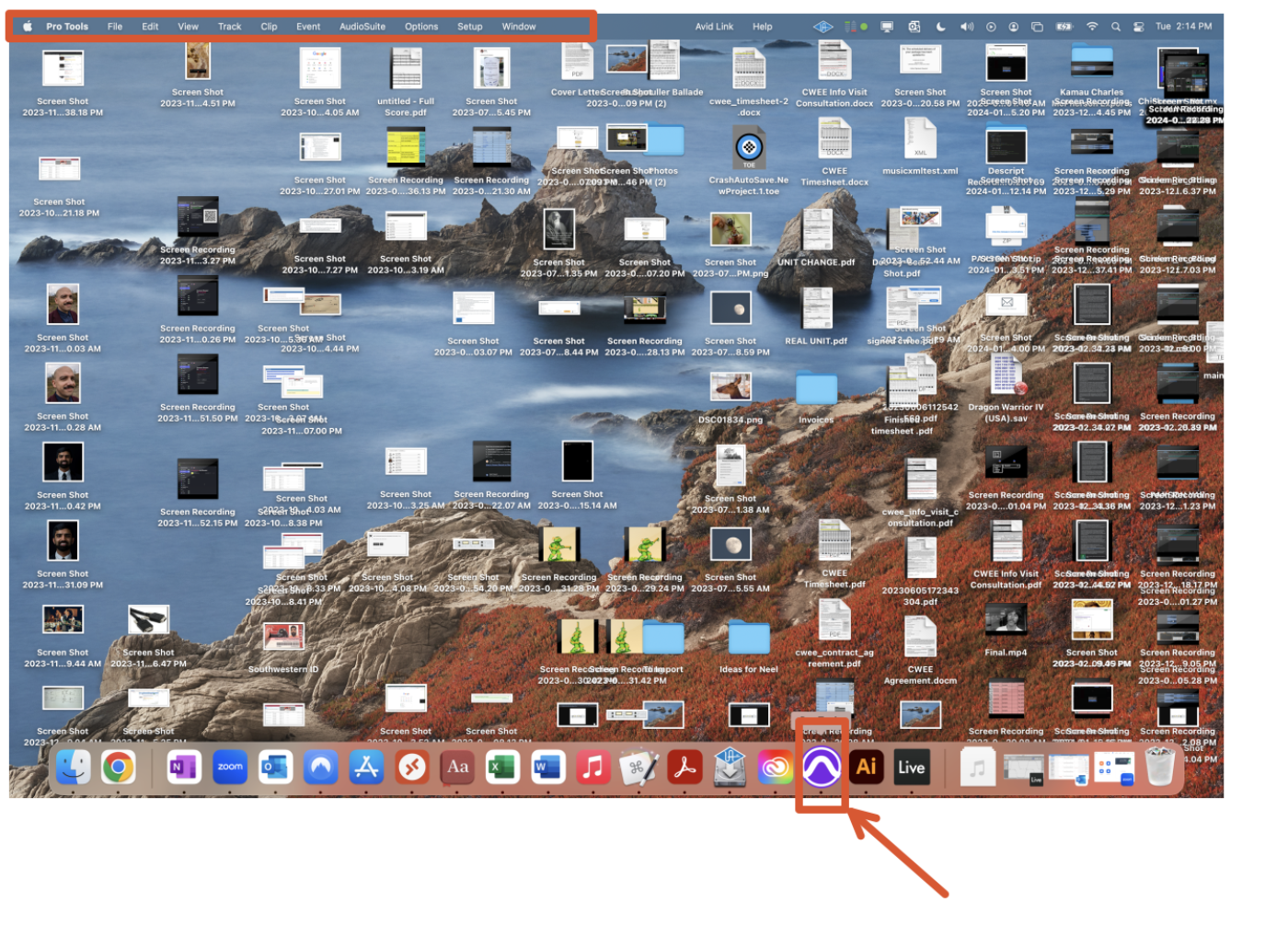
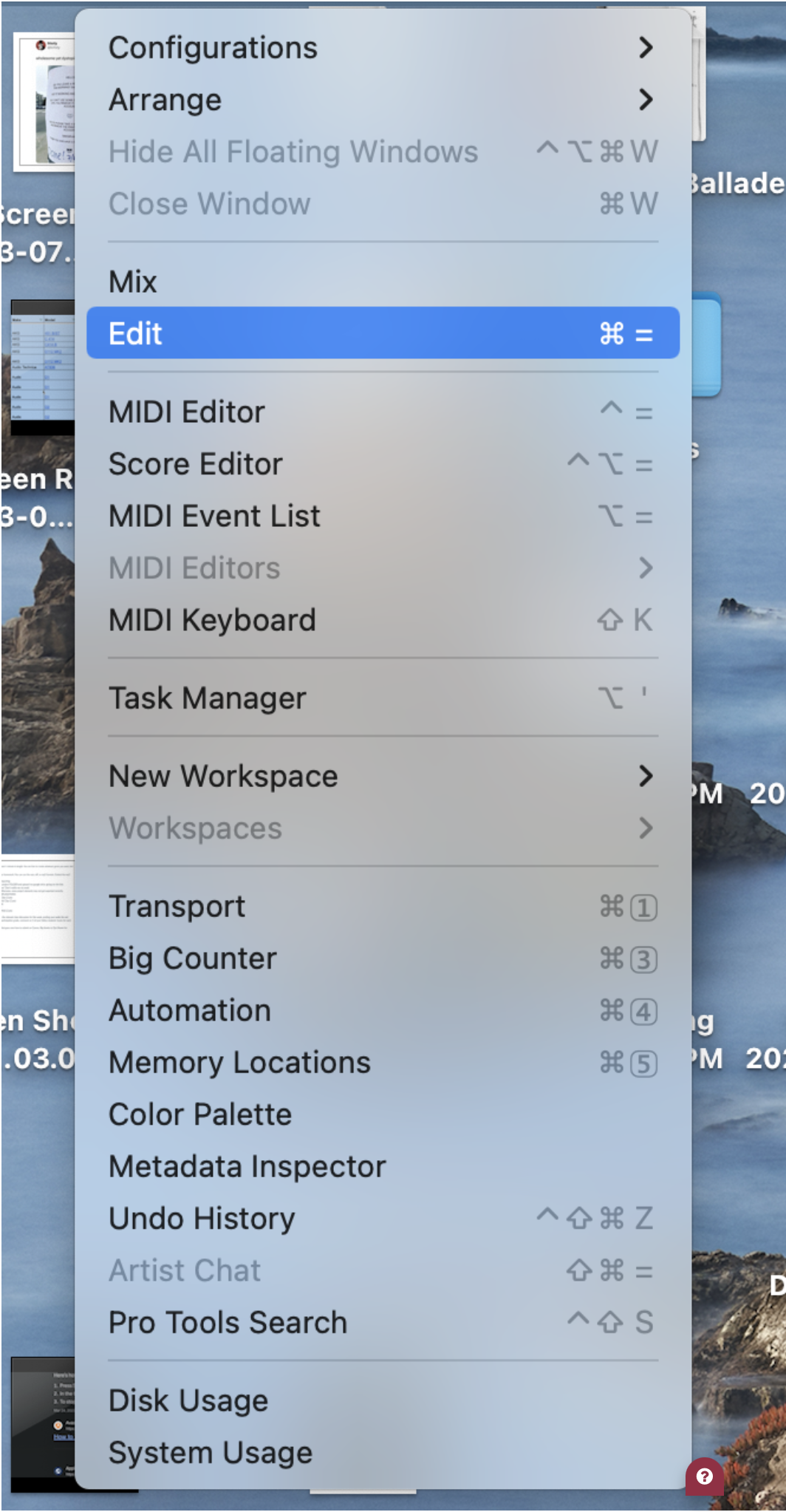
When you open ProTools, you might not see anything on the screen. In such cases, let's troubleshoot the issue. If you click the ProTools icon and nothing seems to happen, first check the menu bar to see if it indicates that ProTools is open. It's possible that your Windows configuration was saved to be in a closed state.