Zoom H6Essential
Updated 7/20/2026
Protocol for Use
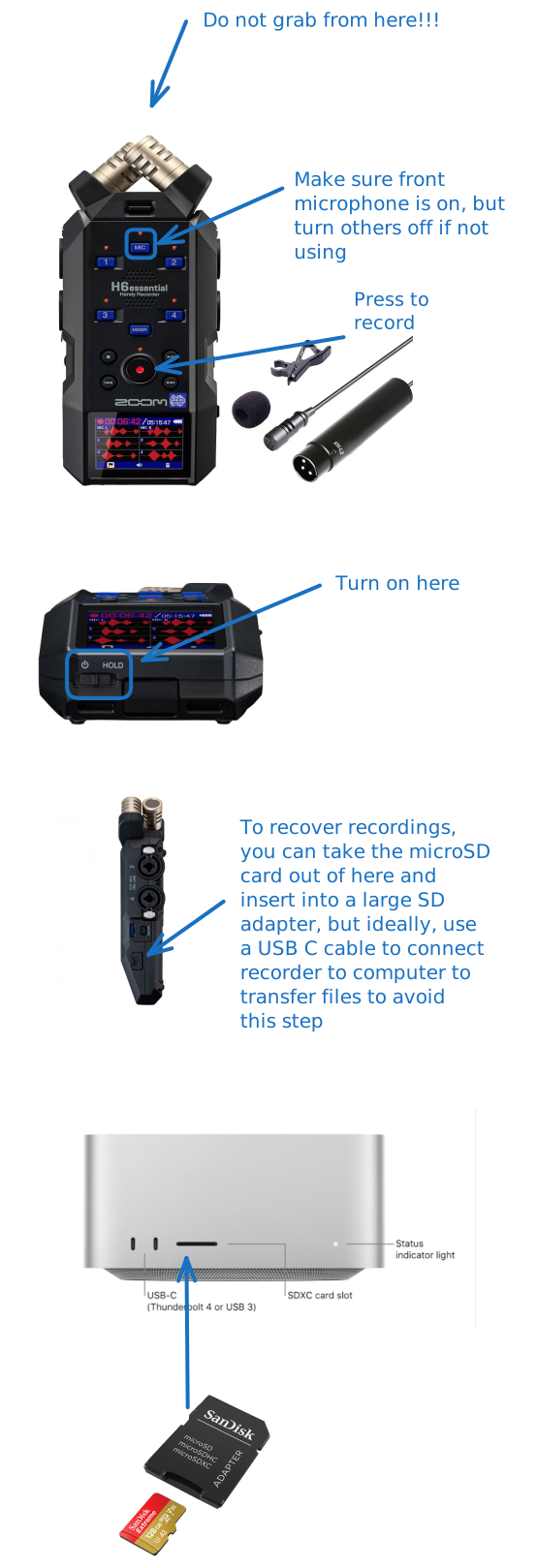
- Do not grab field recorder by microphone capsule!
- Keep capsule attached to microphone when putting microphone away
- Use USB C to transfer files to computer if possible
- If this is not possible, use micro SD to SD card adapter to transfer files to computer, but please put microSD card back into recorder after use, and store adapter in the case as well
- Once the files have been transferred, delete from the SD card
- Turn off recorder after use
Basic Overview
How Recordings Are Stored
Every time you press record, a new folder gets created according to the timestamp of the recording. Depending on how many mics you have active, there will be that number of files in your folder.
32 Bit Nature of Recorder
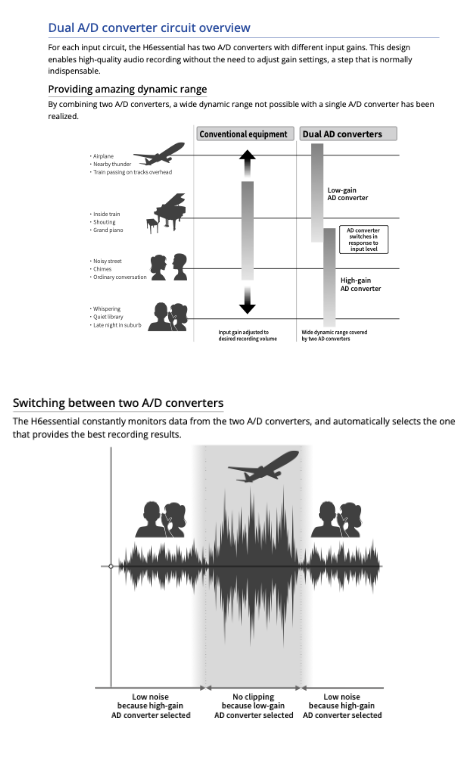
With these 32 bit field recorders, there is gain control to adjust the pre-amp sensitivity (see diagram from manual below).
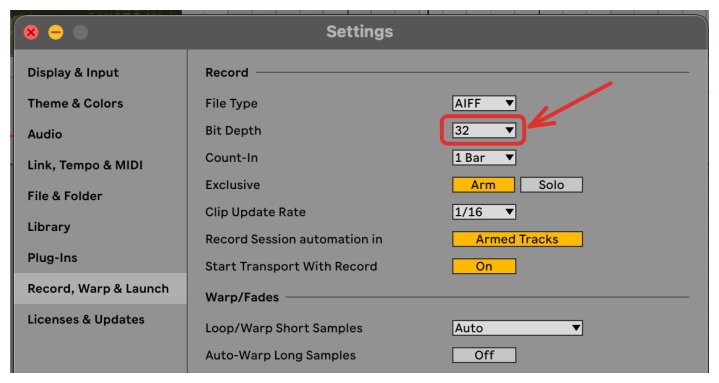
In order to use the 32 bit recordings the way they were intended to, set the session sample rate to be 32 bit in your DAW if possible.