Course Blog
Updated 2/18/2026
Thursday, November 20th
-
-
- ProTools - Fine Tuning Audio Clips - Module Intro -
-
Tuesday, November 18th
-
- ProTools - Fine Tuning Audio Clips - Module Intro -
- Audio For Film
- We will begin working on adding sound to film. The exact assignment requirements will be posted soon
Thursday, November 6th
- ProTools - Keeping Time - Module Intro - review and quiz
- Continue ProTools - Drum Programming - Module Intro -
- Drum Programming manages a lot of the quantization aspect for you
- Delays - Module Intro -
Tuesday, November 4th
- Microphone Basics - Module Intro - review
- ProTools - Keeping Time - Module Intro -
- ProTools - Drum Programming - Module Intro -
Thursday, October 23rd
- Studio Tour
- Don't lean against the wall!
- No food or drink, except closed bottles of water!
- Levels - Mic, Line, and Speaker
- Four Steps of Recording
- Studio A Patchbays
- Review of Microphone Basics - Module Intro -
Tuesday, October 21st
- Microphone Basics - Module Intro -
- Review basic microphone techniques
- Fine Tuning Audio Clips module continuation: lab time
Thursday, October 16th
- Video Resources
- Fine Tuning Audio Clips module
- ProTools - Fine Tuning Audio Clips - Module Intro -
- Adding an Audio Suite Effect
- Next project is to work on applying sound effects to a film or create a radio voiceover
- For sounds, go to freesound.org
Tuesday, October 14th
- Collect Samples
- Import Samples as 32 bit
- Create a 32 bit ProTools session
- Collecting Sounds with Field Recorder
Thursday, October 9th
- Compression, review
- Compression Quiz
- The 3 Steps to Record
- Next class - field trip
Tuesday, October 7th
- Compression - Module Intro -
- ASMR Demo
Thursday, October 2nd
- Review Homework Criteria
- ProTools Project Structure
- Capturing Screenshots
- EQ
- Intro to Compression
Tuesday, September 30th
- Review Homework
- Review Pro Q 3 Module
- Audio Effects - Pro-Q 3 - Module Intro -
- QUIZ
- Practicing hearing frequency differences
- Reviewing ProTools Project Structure for Export
Thursday, September 25th, 2025
- EQ Module review
- Pro Q 3 Moudle continued
- Frequency and Filters quiz!
- Practicing with Cambridge Mixes
- Useful for completing homework assignment if you re having trouble with tracks
- System Sound vs ProTools Sound
- Exporting Project:
Tuesday, September 23rd, 2025
- EQ Module review
- Pro Q 3 Moudle continued
- Homework 1, due Thursday, October 2nd
Thursday, September 18th
- Continue modules from last class
Tuesday, September 16th
- Continue Gain Staging Module
- Take Quiz
- Looking ahead, for next 2 weeks.
- Acoustics Basics Module
- EQ Module
- Pro Q 3 Moudle
- Lab
- Continue working on Multi-tracks
Thursday, September 11th
- Quiz
- Finish Pro Tools - Intro to Gain Staging module
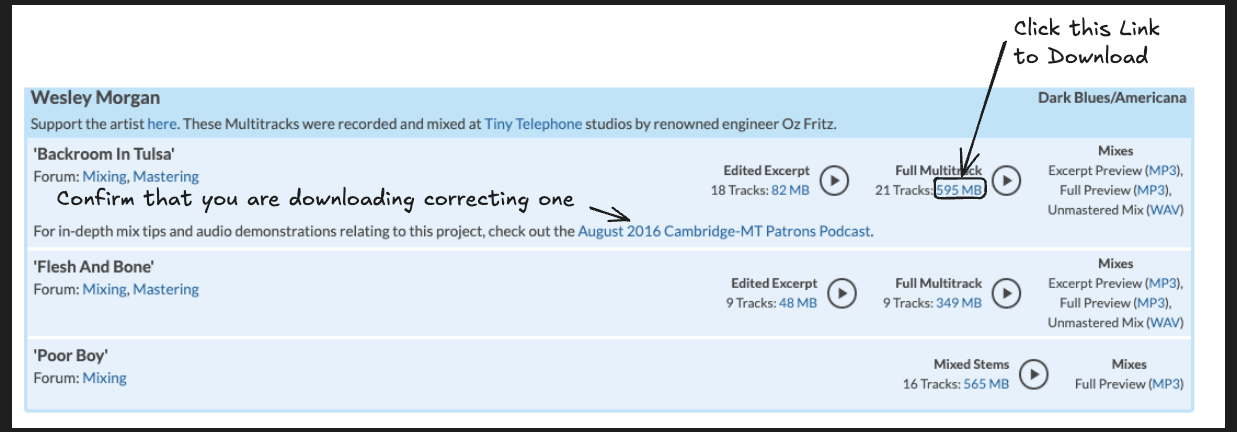
- Practice mixing using Multitracks
Tuesday, September 9th
- ProTools - Gain Staging Basics - Module Intro
- Renaming Tracks
- Coloring Tracks
- Folder Tracks
- Selecting and Unselecting
- Stay tuned for article!
- To make a CONTIGUOUS selection, click the first thing in the selection, hold down shift, and then click the last thing in your selection
- To make a DISJOINT selection, hold down command on the individual items that you'd like to make up the selection
- To DESELECT, hold down command
- Stay tuned for article!
Thursday, September 4th
- - ProTools - Basic Workflow - Module Intro -
- ProTools - Audio Clips and Tracks - Module Intro -
- Using ProTools's tools
- Smart
- Grabber
- Selector
- Trim
- Fades
- Scrubber
- Smart
- Adjusting Volume
- 06. Clip Gain for adjusting volume of specific clip
- Volume Faders for adjusting volume of overall track (in mix view)
- To get to mic view, press cmd =
- Using ProTools Edit Modes
- Synchronized
- Slip
- Grid
- Unsynchronized
- Shuffle
- Film Placement
- Spot
- Synchronized
- Loops
- Using ProTools's tools
Tuesday, September 2nd
- Review
- Mac Literacy
- - ProTools - Basic Workflow - Module Intro -
- ProTools - Audio Clips and Tracks - Module Intro -
- ProTools Licensing Troubleshooting
Thursday, August 31st
- Introduction to electroacoustic landscape
- Balanced vs Unbalanced Signals
- Levels - Mic, Line, and Speaker
- Audio Science/Audio Equipment Theory/Audio Jacks